
The nocturn is a really useful and affordable little midi controller. It can be used for basic dj functions, but i find it most useful in the studio.
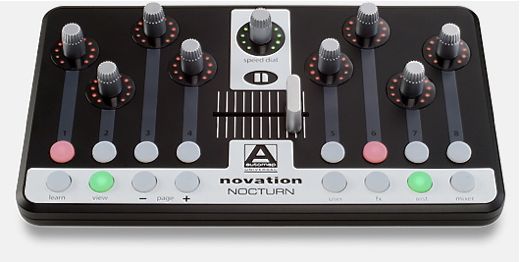 Using the automap software which comes with it, setup is pretty straightforward. Basically you open the automap version of the instruments and automap will automatically map the nocturn to some of the controls. You can then map the rest by clicking learn button, moving the control on screen, and then moving the nocturn, or you can assign parameters by manually selecting the control from the parameter menu. You can rename the automap controls as you like and then save as to save the control map.
NOTE for most vsti's and plug in this works fine, but for spectrasonics you must do it differently and setup control maps manually by right clickin on the parameter in e.g trilian and select “enable host automation”. This also tells you the cc number of the parameter which you then assign/select in automap.
The best place to start is the novation tutorials, which are pretty comprehensive. I found this one particular useful after i'd worked out the basics
And i also picked up a few useful tips from this dj mag review
And you can also setup the nocturn to control ableton functions (and the 1st 8 parameters of any focused device)
There was one issue with the above video, which was the focus up & down, which was sorted manually mapping the buttons to alt-up and alt-down.
To focus on browser u need alt-left as well. To do this using the nocturn control map just hold down the browser toggle button and then use the (assigned) arrow key buttons to browse.