
by djnarrative | 24 Oct, 2013 | Reckorder Tutorials
A strange post title, but something that could be really useful to electronic music producers from ableton don Tom Cosm. Here's his video which contains the link to download and to donate, or visit his site Its a Max for Live device that allows you to send 5 separate parameter changes signals (with min/max) depending on where the Master Knob is, which is great when you want one knob to sequentially do a lot of...
by djnarrative | 10 Feb, 2013 | Reckorder Tutorials, The Reckorder Project
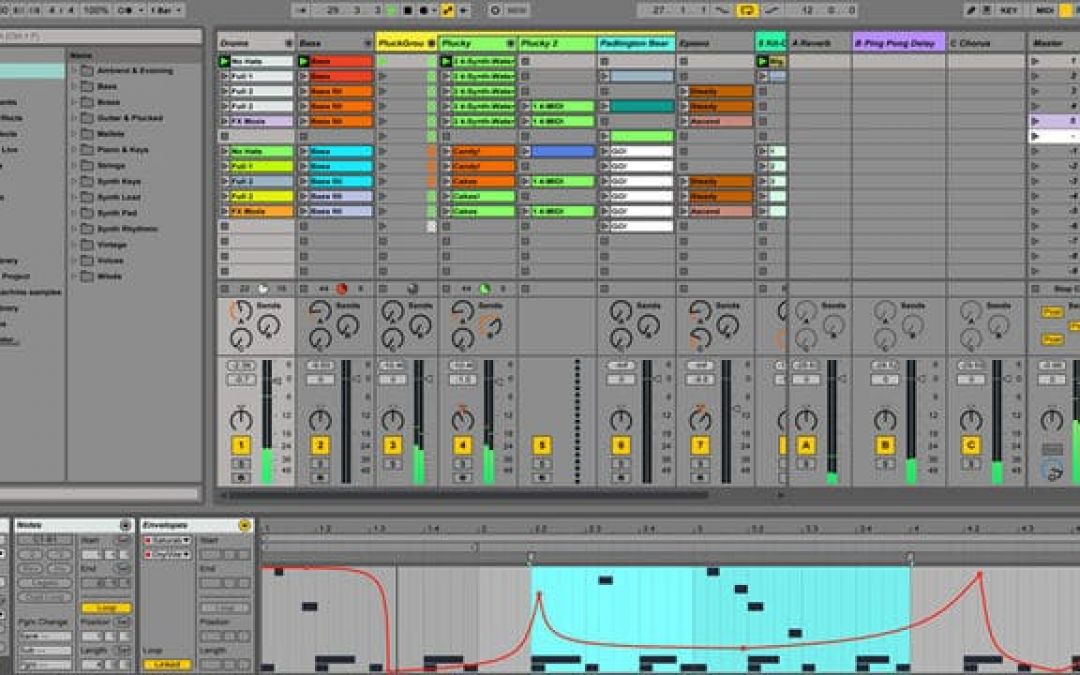
A large reason for updating various parts of the virtual studio, was to get past the limit of 64 bit processing. Ive been using the 64 bit beta version of ableton 8 for a while, and its allowed me a lot more flexibility with the ram hungry plugins. Ableton 9's beta users went really quickly, but a few days ago it was open and i downloaded a copy to try it out. Synchronistically a lot of the functions ive been excited about in previous posts, like convolution reverbs and native kontrol functionality have been included in Ableton 9, and even things that ive done manually like recreating the melody and playing in rhythms live from drum loops are included! There are loads of posts all over the net detailing the various new functions, so i wont list them all here, but suffice to say, things like clip automation, and the extracting rhyhtms and harmonies from audio has been on the wishlist for a while, and im really looking forward to seeing how i can merge the things ive been learning with these new features. The max for live stuff plugins like the lfo and buffer shuffler are equally awesome additions and the library you get with it is huge. I'll post the seminar which shows the and one from Tom Cosm as they both show Ableton 9 in a workflow sense. And here's a little about the buffer shuffler from another great electronic music making resource - Music Software...
by djnarrative | 3 Mar, 2012 | Reckorder Tutorials
As part of my Dj Narrative newsletter I put this post with 2 excellent video tutorial courses which have helped me a great deal in my own workflow so i thought id repost it on the Reckorder site now i'm carrying on building it. There are 2 free sessions though so you can see what there about (& they themselves contain some useful nuggets), and the free one from Ill Gates about 128s contains an ableton pack from his colaboration with Amon Tobin & Eskmo. I've never bought anything like this before, but I can honestly say they have really helped me, especailly with taking my old tracks and being able to add what i needed production and workflow wise so felt it was well worth sharing in this 1st newsletter. Hope you get something from them, and please check out their sites via the links below. First up is Ill Gates with his Ill methodology course (above). This first part gives a really good example of what to expect, and i got so much from the course, and seemed to address a lot of the issues i was finding at the time, so i feel really comfortable recommending it. The writing every day is a really good idea and coupled with meditation has given a structure to what can often be quite chaotic mornings. At just over £30 quid i think its well worth checking out, and theres a written version you get sent afterwards along with some racks, and such like contained within the links discussed. Next up was Tom Cosm, who is another wizard at ableton. While...
by djnarrative | 2 Nov, 2011 | Reckorder Tutorials
So Tom Cosm is pretty much a Jedi of Ableton and an awesome teacher who shares all his stuff for free (coupled with a very cool way to make it all sustainable and grow) and this is a very innovative tutorial to get to another level of automation. This series of videos cover the use of the IAC driver (or MIDIyoke on PC) with Ableton Live to get another level or dimension of automation control with this particular video showing the basics of set up, use for triggering clips, turning on parameters and automating parameters. Ableton Live and IAC Drivers - Part 1 from Tom...
by djnarrative | 8 Oct, 2010 | Reckorder Tutorials
There are two three ways achieve that cool glitch effect/sound. Chopping up audio, resampling and using efx. All can be used to different effect, so here's a bit about each one. Chopping up audio can be a very satisfying (and often lengthy) process. You can chop up anything you can think of into as small a parts as you like and then rearrange them to your hearts content. Here's a pretty cool video which shares some useful tips on that front. (The talking is really quiet throughout, then loud when music comes in at end btw) The second option - resampling is something i found from tom cosm. Its a really cool way to get some great effects and he details it in his video for glitching up bassline here And this video for glitching up a drum break. Glitch up a drum loop in Ableton Live from Tom Cosm And last but not least there are a few great plugins you can use. The one pictured above is called Db Glitch which is free and very useful. Another option is The Finger if you have Reaktor, and one i recommend is Stutter Edit which i recently bought from izotope. The free one is great for the effects it uses, but stutter edit has the kind of effects you can only achieve with a lot of fine audio editing, and is great to play live. (I havent used the finger, but heard good things about that too) So there's a few links and info on glitching. If you have any cool tips, tutorials, or feedback let us know in...
by djnarrative | 8 Oct, 2010 | Reckorder Tutorials
Part 3 of a short video series that cover very simple but often overlooked functions of Ableton Live and Production Ableton Live Quick Tips 3 from Tom Cosm on Vimeo. And 10 tips from Tom Cosm 1. To reset a parameter (knob or fader) to it’s default value, select it and hit delete. I am always mucking around with random parameters in a trial and error fashion, but sometimes it just sounds like balls so a quick hit of the delete key lets you reset, forget and move on. 2. Want to move everything in the piano roll up or down an octave? Command+A (Select all) then Shift+up or down. This is great to take that bassline down an octave, or that synth line up. 3. Holding down the ALT key while having the pencil tool selected will allow you to draw lines freehand instead of snapping to the grid. 4. Learn to change the grid size intro triplets, or off completely using key commands. The most important one is Command+4, this turns the grid off and on. 5. To move just a few notes in the piano roll, select them by holding down Shift and clicking. This is great if just a few bass notes are two low. Shift+click them and then use tip #2 (Shift+up) to move them up an octave. 6. Hold down Shift while pushing spacebar to play back the audio exactly where you last stopped it. 7. Use Command+D to duplicate a loop AND it’s automation, then drag the end of the first loop instance across to cover the rest. This allows you to...
by djnarrative | 3 May, 2010 | Reckorder Tutorials
This guy's a particular inspiration online consistently sharing useful information in ableton and someone i'll definitely be posting on here. Here is a free hour long video tutorial which makes up part 1 of a ten part series in which he takes you through the process of writing a track from scratch. Along the way you learn all about ableton and about the various aspects of music production, and subscribers can dload this and the other 9 parts of the series from his website. You also get everything else hes made if you subscribe so well worth checking it out if you like this...
