by djnarrative | 6 Jan, 2014 | Reckorder Tutorials
One of my favourite synths is Omnisphere, and i really rate the company Spectrasonics and it's founder Eric Persing too. Here's a really nice little interview, plus a load of great tips from the plug in guru The plug in guru has loads of tutorials on Omnisphere and other synths on his youtube channel & he sells his own custom patches on his...
by djnarrative | 4 Jan, 2013 | Reckorder Tutorials, The Reckorder Project
When joining the aforementioned Mac Pro video site you get a special discount offer emailed. You also get a pretty large discount if you buy more than one, so i decided to get to grips with 3 of my other main vst instruments - Omnisphere, Trilian, Massive and Kontakt. I bought Omnisphere a couple of years ago and their own tutorials are excellent, so i was a little reluctant to purchase the Spectrasonics ones from macprovideo. However i'd seen a free part of the Trilian on a dj mag a couple of years back which taught me loads that wasn't covered so i was pretty confident these would be worthwhile, and i've been very pleased. Starting with omnisphere which in my opinion is the best synth i've ever used, here are my thinking rock notes from omnisphere. Overview Overview Soundsource - can be synth (digitally synthesised oscillator or waveform) or Sample (group of key or velocity mapped samples) Layer contains all the sound shaping, synthesis, modulation capabilities and is where the sound design and sythesis of the soundsource happens. Patch contains 1 or 2 layers. Part contains a Patch, so they are interchangeable terms Patch/Part wide synthesis parameters and performance controls are found in the Main Page Multi contains 8 parts in one instance of massive and recalls the entire state of the vsti. These include Patches, Global FX, Keyboard Stacks Nand Splits, Mixer Setup, & Live Mode Settings. Interface Top row of buttons Parts 1 through 8. Access Mixer & System wide views. Top Left Main Page View Controls access patch wide controls, Part level, Velocity Curve, Pitch...
by djnarrative | 16 Oct, 2012 | Reckorder Tutorials
Omnisphere and Massive are two of my favourite synths both offering a pretty much unlimited pallete of depth and sonic exploration. With such depth comes a relative learning curve, so Producer Tech have created 3 online courses and sent alone 3 taster videos and a discount code for any interested readers. I wasn't sent the course itself so i can't vouch or recommend in the way i would normally when featuring anything on the site, but i have seen tutorials from Rob Jones who presents the ominsphere and massive courses, and he was excellent at making some fairly complex new material easy to digest. Those tutorials were on the novation youtube channel the midi controllers and they helped me a great deal with a clear straightforward delivery, and from checking the intro video these seem the same. This is really more of news post for anyone who might be interested in the courses, mainly because I learnt a great deal from spectrasonic's own comprehensive set of video tutorials when i first bought the synth and from an equally amazing set of massive tutorials which i found on youtube (which i'll post seperatly when i find it again as just remembered them o/) That said i imagine that someone of Rob's background and experience must have been well aware of the existing tutorials and may therfore be addressing areas which aren't covered, so have a look at the 2 intro videos below and see what you think. There is are three seperate 3 hour courses (one each for Omnisphere, Massive, and Sylenth) via this page on their site and all readers can...
by djnarrative | 3 Jul, 2012 | Reckorder Tutorials
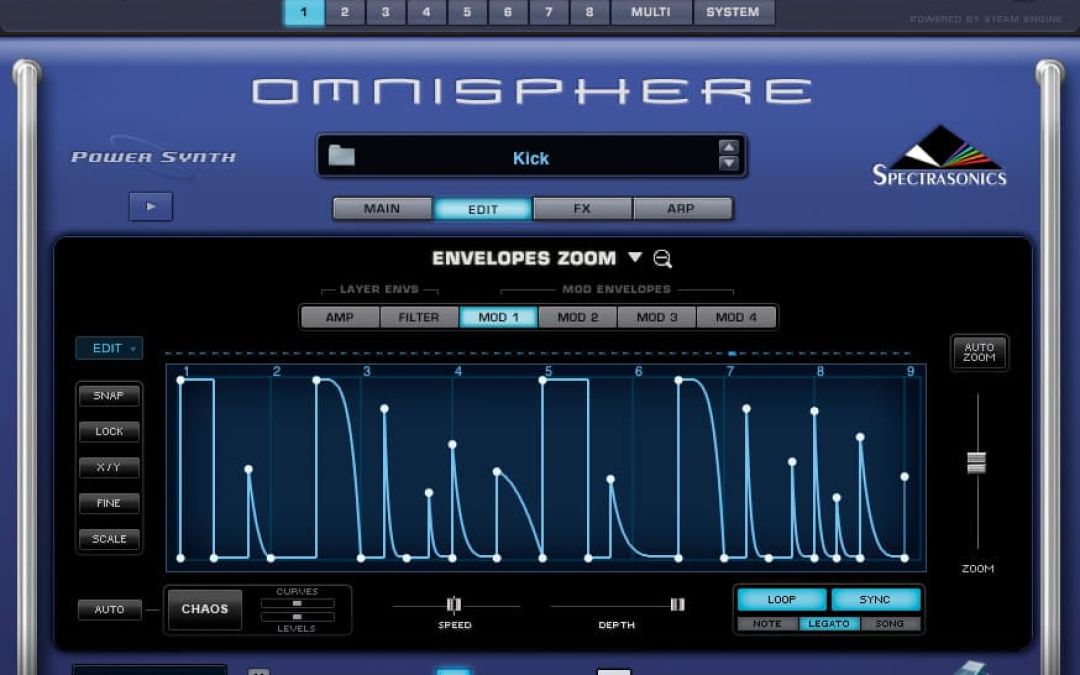
One very powerful function in shaping a sound is the use of envelopes, although its something I've never really utilised. Today i found a real clear & useful tutorial so thought id share it. This guy innerstatejt offers out loads of free tutorials and this just happens to be the last one i watched that i found useful, but do check out the rest of his youtube channel and subscribe as he has a good way of addressing things in ableton which can be appear confusing when first starting out. He also has a dedicated website which houses a load more content. Until now i'd never really used envelopes other than to make a sound sweep in or sustain. Here he demonstrates what envelopes do and how to use that with a filter. A more advanced yet equally well explained tutorial is this great one from spectrasonics sound designer Diego Stocco who takes you through creating a big sound from scratch in omnisphere. Like all tutorials you can use the same techniques with any multi-oscillator synth, Episode 10: "Diego Stocco Masterclass I really hope you find these useful as i did and if you did, or have any insight or feedback to add, please feel free to leave a...
by djnarrative | 30 Mar, 2011 | Reckorder Tutorials
I've used various virtual synths over the years, and there's a few that really stood out. Early ones were the pro 52 followed by the korg legacy, then a trial with atmosphere and the ever evolving in built ones in reason and ableton. Now i generally turn to Omnisphere though as its such a powerful and flexible synth i've found don't really need anything else. I had to save for a long time to afford it, but what i really like about spectrasonics is that once you've bought it they give you great updates for free so it really feels like you've invested in it. So anyway my current knowledge on the synth side basically resides around omnisphere. However the make up of a synth is pretty much the same throughout, starting with oscillators to generate the sound and then changing that sound through a series of parameters. As well as making sounds i generally use presets and loops as other starting points which are pretty self explanatory (though i'm thinking of doing a video tutorial in chopping up synth loops as you can get some great results with that approach) In making patches from scratch, there are some great tutorials from tom cosm and the covert operators on creating your own sounds in ableton, and loads on youtube for creating sounds in reason. One of the most useful videos i've seen is this one from Diego Stocco where he makes a sound from scratch. Its omnisphere based, but i think you can take the ideas and apply some of them to any synth. Episode 10: "Diego Stocco Masterclass...
by djnarrative | 8 Oct, 2010 | Reckorder Tutorials
When i first bought Omnisphere i watched all the tutorial videos which gave e all the necessary information to operate it. There's a lot of videos so I wrote a few notes to help me remember the most useful bits. I'm not sure if they'll be useful to others, but here they are in case. BROWSER Use search and different attributes, etc to find the type of sound you want. (This is also where adding keywords to your patches comed in handy) Also use the midi learn to map the up down keys to select sounds with your midi controller as opposed to the mouse. Using Arpeggio (Presets on Main screen) makes playing in time and key very easy. Adjust other settings and add suitable sounds for a and b to create the right patch, saving with info. LIVE MODE & STACK MODE Live mode means you can play each sound from one channel, and switch/layer sounds live. In Live mode you can select and/or layer the patches using the midi keys, program change buttons or cc's . (Remember latch/touch setting in settings tab) Stack mode allows you to trigger the patches from the keyboard by using keyzones. This means we can create a bank of patches and play/record the track transitiions, etc live. Also you could use two keyboards plugged into the same omnisphere, e.g 1-4 as the strings and pads played by one person and the rhythmical and arpeggiated patches on 5-8 played by someone else. Various efx could also mapped to another controller to give even more collaboration performance. EDIT PAGE & MODULATION To get movement...
