
Live looping is a great thing both in and out of the studio. A few of my musical inspirations are ninjas at it, and have inspired me to start getting to grips with it both as a composition layering technique & as a potential performance tool.
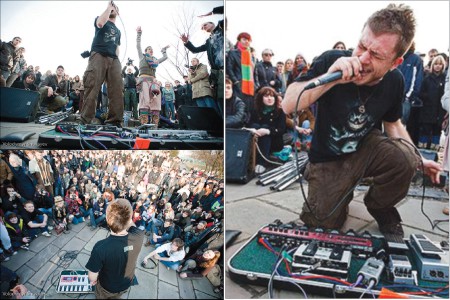
Beatbox artists like Dub Fx pictured about use loop pedals like the Boss Rc-50 with various efx units & Beardyman uses multiple Kaoss pad 3. I've no beatbox skills but am very interested in how i could use a live looper to record jams on in the studio. There's two bits of kits i use for this - Ableton live looper and the Fcb 1010, and a few issues / solutions i've found thus far.
I wanted to be able to pick up my guitar, hit record, overdub & undo layers, and use the recordings in my compositions. Recording / overdubbing etc is pretty straightforward using ableton's live looper and this video shows you how.
This video from Nico Luminous takes things slightly deeper
And then to take things further there's some really useful ideas from brett with the dobro
For live playing this works well & i found this video from Chris Willets really useful too.
All great tips but somewhere along the way i was also wondering how i could keep seperate each layer. The answer lies in this video from Tom Cosm (and/or can be done with an live loopers on multiple audio channels)
Ableton Looper - Preserving Each Layer Separately Using the IAC Driver from Tom Cosm on Vimeo.
----------------------------------------------------
Regarding the fcb 1010 there are lots of useful information out there so i'll post the links of posts that i found useful on the fcb 1010 post & the guitar rig post
Last but not least I also found this forum post to be very useful - http://forum.ableton.com/viewtopic.php?f=4&t=132701&view=next>
and this one - http://forum.ableton.com/viewtopic.php?t=20174
And in summary, after following the info in the videos i found that there were different possibilities and uses for each setup e.g using ableton looper allows easy overdubbing, undo, live layering, etc whilst recording directly into clips allows for warping, dedicated channel efx setup, triggering options, etc, so for my template i chose to incorporate bits from all the above.
Hope you find something useful for your setup and any tips or comments are most appreciated below.