
Compression was a real mystery to me. Robin used to tell me of its importance but i could never get my head fully round it enough to use it in the early days. With that in mind i'll do my best to pass on what i think it does.
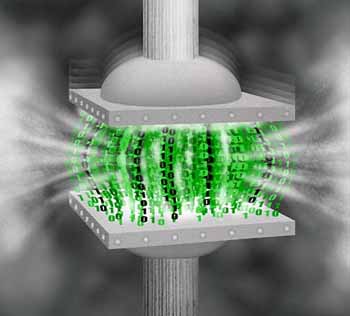
Compression basically gets your audio file and squashes it down. Then it raises the volume of the whole audio file back up again. This 1) obviously makes everything louder, and 2) raises the volume of the quieter parts. This can be done on sound, e.g to give a snare more weight and punch, a drum loop (to bring all the elements and sounds together and phatten it up), or a whole track to give everything more punch, cohesiveness, clarity and volume.
If that made sense then we're halfway there, and to be fair i think thats far enough if compression is brand new to you. People used to say you just have to try it when i didnt understand it, which is right, but if you dont know what all them controls do, then trying it doesnt have any reference point.
Basically there are 3 controls that are in every compressor that you need to use. Threshold, ratio and make up gain.Threshold is at what volume level the compressor will start to work. The ratio is how much compression it will apply, and the make up gain is the turning up of the volume after compression.
In practice i found that you make a cool snare, but it doesnt punch like ones you hear on a record. Then you drop it in a compressor see what the maximum volume it hits on and drop the threshold a few db lower. The compressor then starts working, so raise the make up gain to hear. Suddenly the snare sounds phatter.If you raise the ratio gain it gives it a different effect, and playing with these 3 controls you can start to get an understanding of what compressors do.
Another example is a drum loop. You've made a phat loop with kick, snare, hi hats and percussion, and sent those parts to another audio channel which has a compressor on. Again see where the loop is hitting at and drop the threshold below that to apply the compression. Raise the make up gain to the same volume and the loop is bought to life. Raise the ratio and you get more compression, raise the threshold a little to let more through, lower the make up gain as its a little loud, etc.
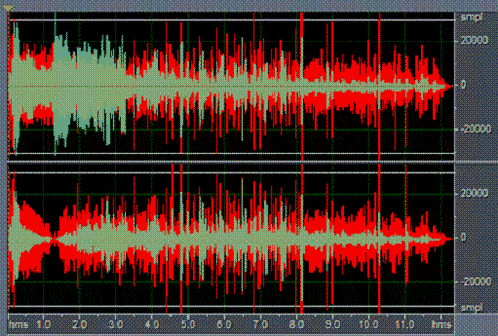
Then when you turn off the compressor and back on you should hear a noticeable difference. Make sure to notice when its just louder because you've turned the make up gain up as opposed the same level but compressed so it sounds a lot louder. You can check this via your volume meter on the channel. It should hit the same max volume, but just be more squashed.
If you've got to this point you prob have a much better understanding of what the compressors doing and why people use it everything. There are two other main controls (which i haven't mentioned because they confused me at the start), so if you havent got to grips with it yet, try the above with a homemade snare and a home made drum loop first, then come back.
The other two important controls are the attack and release. Same as an adsr envelope, the attack is how fast the compressor will come in, and the release is how long it will take to... release. I'm a little more woolly on this parts, but as far as i can hear the short attack and release times are for a more punchy effect and the longer times are for more pumping effect. These two controls are most noticeable when you whack up the ratio and lower the threshold so theres loads / too much compression.
Here's a few useful links to give some more information
http://productionadvice.co.uk/using-compression/
http://www.djtechtools.com/2010/05/11/compress-with-the-best-a-how-to/
http://www.dancemidisamples.com/What-is-Compression.html
| Attack | Release | Threshold | Ratio | Knee | |
|---|---|---|---|---|---|
| Full track | Fastest possible | Fastest possible or Auto | -5dB to -9dB | 2:1 to 3:1 | Soft |
| Drums | 5ms | 10ms or Auto | -15dB | 5:1 to 8:1 | Hard |
| Synth Bass | 4ms to 10ms | 10ms | -4dB to -8dB | 4:1 | Hard |
| Real Bass | 4ms to 10ms | 10ms | -2dB to -10dB | 8:1 | Hard |
| Vocals | Fastest Possible | Lowest possible or Auto | -3dB to -8dB | 4:1 to 12:1 | Soft |
| Brass Instruments | Fastest possible | Fastest possible or Auto | -10dB to -14dB | 2:1 to 8:1 | Hard or soft |
| Guitars | Fastest Possible | Fastest possible or Auto | -10dB to -14dB | -8dB to -14dB | Hard or soft |
I hope that helps with understanding compression. There's loads more useful information out there and if you have any tips or feedback feel free to drop it in the comments below